Quven
Quven'%3e%3cpath%20d='M0%200v40h60V0z'%20fill='%23012169'/%3e%3cpath%20d='M0%200l60%2040m0-40L0%2040'%20stroke='%23fff'%20stroke-width='8'/%3e%3cpath%20d='M0%200l60%2040m0-40L0%2040'%20clip-path='url(%23d)'%20stroke='%23C8102E'%20stroke-width='5'/%3e%3cpath%20d='M30%200v40M0%2020h60'%20stroke='%23fff'%20stroke-width='13'/%3e%3cpath%20d='M30%200v40M0%2020h60'%20stroke='%23C8102E'%20stroke-width='8'/%3e%3c/g%3e%3c/svg%3e)


A DVD or Blu-ray carries menus, playlists, alternate angles and subtitles drawn as pictures, in a folder structure only a disc player was meant to walk. Quven doesn’t read discs: bring the film in as a remux, and the library fills.
What a scan picks up
| Read as a film | Not read |
|---|---|
.mkv, .mp4, .m4v, .avi, .mov, .webm, .ogv |
ISO images, VIDEO_TS and BDMV folders, and the .vob and .m2ts files inside them |
The scan walks past everything in the right column without adding a title or reporting a skipped file. The folder isn’t broken: nothing in it is treated as a film. No Quven client plays a disc’s menus either, because every client starts from a file in the library and the menus live in the disc structure the scan skips.
1. Remux the film into an MKV
A remux copies the title you want out of the disc into an MKV and keeps every track as it was encoded. Nothing is compressed a second time, so the picture and the lossless audio stay the disc’s own.
Quven doesn’t read or decrypt discs. You need a separate ripping tool for that step, and whether you may get around a disc’s copy protection depends on the law where you live.
2. Name it and place it
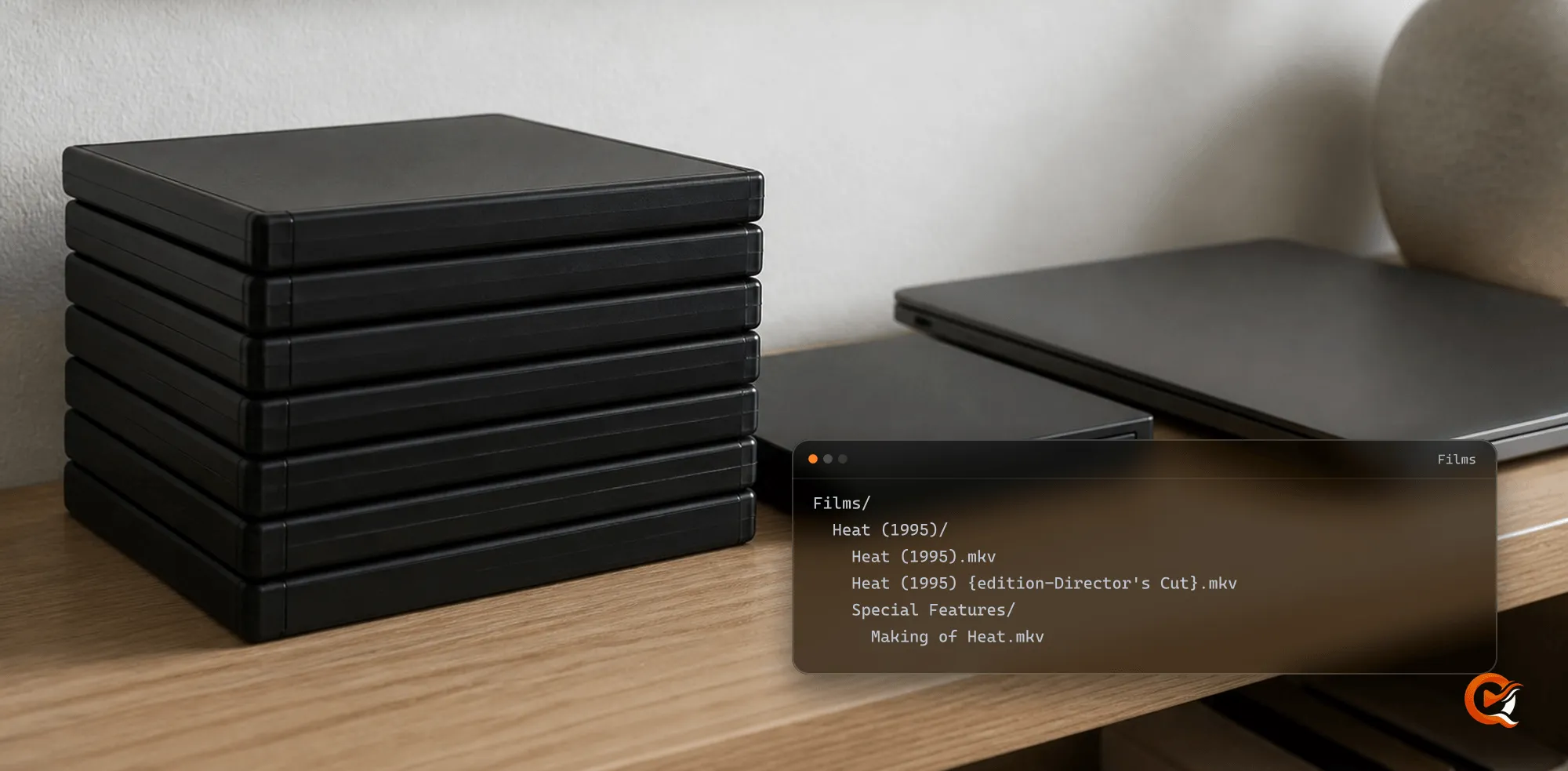
A ripping tool names its output after the disc label and a title number. Rename the file to the film’s title and year before the scan, as the library organisation guide describes:
Films/
  Heat (1995)/
    Heat (1995).mkv
    Heat (1995) {edition-Director's Cut}.mkv
    Special Features/
Making of Heat.mkv- Bonus material in a
Special Features,FeaturettesorDeleted Scenesfolder beside the film is attached to that title as extras, and not scanned as a film. - A second cut of the same film takes an
{edition-Name}marker in its filename. - The disc image can stay in the same folder as the remux, since the scan won’t read it. A media server shouldn’t hold the only copy of anything you can’t replace.
3. Play it
On a native client (the desktop app and the phone and television apps) the server hands the file over untouched. MPEG-2 from a DVD, VC-1 or H.264 from a Blu-ray, Dolby TrueHD, DTS-HD Master Audio and the picture-based PGS and VobSub subtitles reach the player as the disc carried them, and the player draws the subtitles itself. Whether the lossless audio leaves the device as a bitstream for your receiver depends on the device and the receiver. The native playback guide explains the negotiation.
In a browser the server converts, because a browser can’t decode most of what a disc holds. It builds an HLS stream: MPEG-2 and VC-1 are re-encoded, and TrueHD or DTS audio becomes AAC. A Blu-ray’s H.264 can go out repackaged, as long as its bitrate and resolution fit what the browser session asked for.
Subtitles in a browser
A PGS or VobSub track is a series of pictures a browser can’t draw beside the video. Choosing one makes the server paint it into the picture, which turns the whole session into a full video conversion even for a film that could have been repackaged. With an NVIDIA card or Intel Quick Sync the hardware encoder stays in use through that overlay. On every other backend the session runs on the processor. The HDR guide covers a film that is HDR as well.
The cheaper route comes with Max or Lifetime, where reading a picture track into text is the first step of a translation:
- Open the player’s subtitle panel as the server owner.
- Use the Create tab to translate the picture track. The server reads it into text on its own machine first.
- From then on a browser gets the translated subtitle as text, and the video goes out repackaged wherever it can.
The subtitle translation guide describes how the recognition works.
Frequently asked questions
Does Quven play ISO files or VIDEO_TS and BDMV folders?
No. A scan reads video files by extension, and an ISO image or a disc folder isn’t one of them. Remux the title you want into an MKV and the next scan picks it up.
Can I use the disc menus in Quven?
No client plays disc menus. If the extras matter, bring them in as separate files in a Special Features folder beside the film, and keep the image if you want the menus themselves.
Why does a Blu-ray remux with subtitles load the server more in a browser?
Its subtitles are pictures. A browser can’t draw a PGS track, so the server paints it into the video and re-encodes every frame while you watch. With Max or Lifetime, translating the track from the Create tab reads it into text once, and later browser sessions skip that re-encode.