 Quven
Quven'%3e%3cpath%20d='M0%200v40h60V0z'%20fill='%23012169'/%3e%3cpath%20d='M0%200l60%2040m0-40L0%2040'%20stroke='%23fff'%20stroke-width='8'/%3e%3cpath%20d='M0%200l60%2040m0-40L0%2040'%20clip-path='url(%23d)'%20stroke='%23C8102E'%20stroke-width='5'/%3e%3cpath%20d='M30%200v40M0%2020h60'%20stroke='%23fff'%20stroke-width='13'/%3e%3cpath%20d='M30%200v40M0%2020h60'%20stroke='%23C8102E'%20stroke-width='8'/%3e%3c/g%3e%3c/svg%3e)


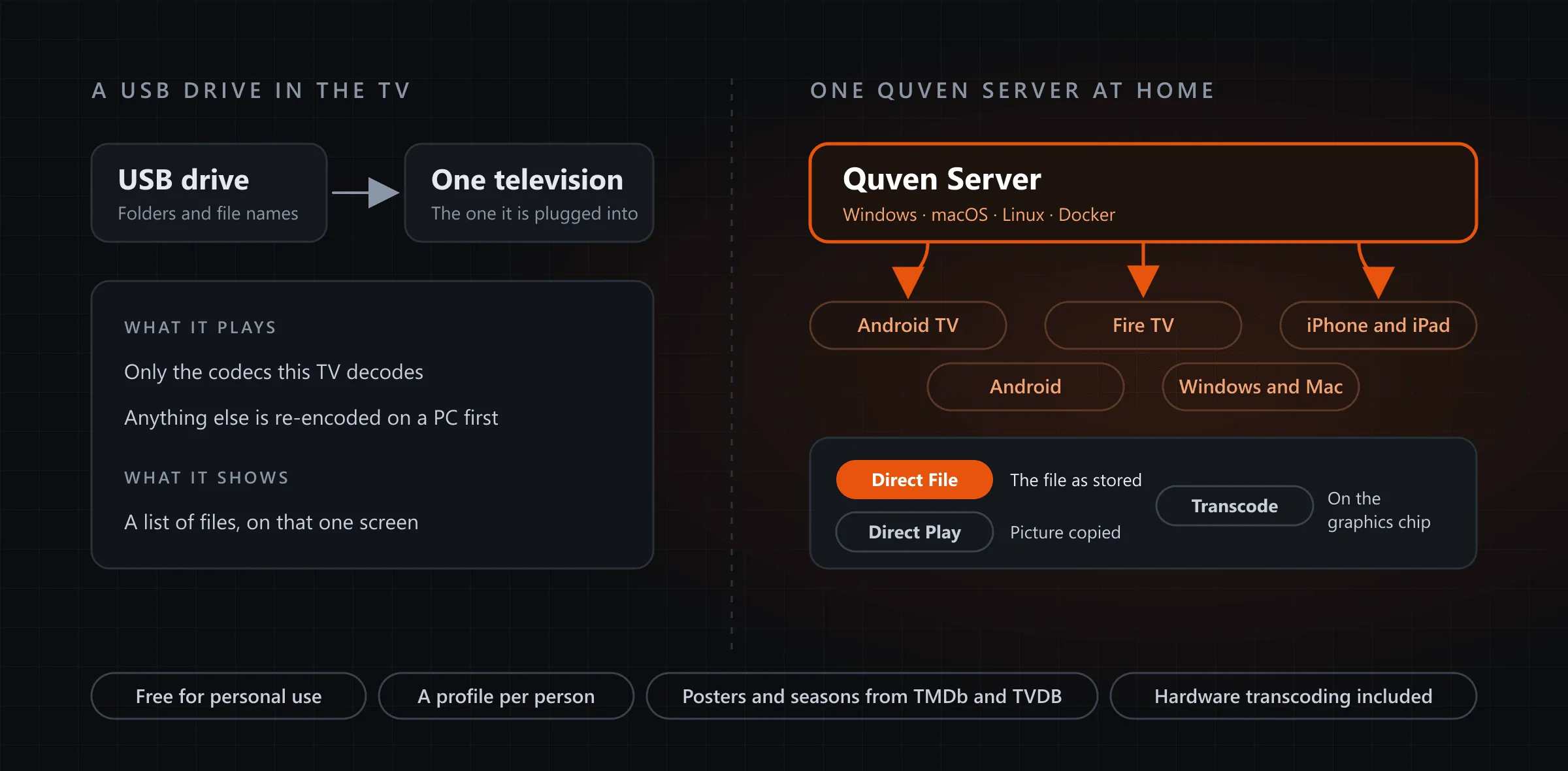
A television’s USB player plays the files its own chip can decode, on the one set the drive is plugged into, from a list of folders. A media server keeps the films on a computer at home and hands every screen something it can play. Quven is a self-hosted media server by Quven Technologies S.R.L., free for personal use, and it turns that drive into a library with posters and a profile for each person, open on the televisions and phones in the house.
Where does a TV’s USB player stop?
LG’s own help page, which we read on 18 October 2026, sets the rules out plainly:
- A video plays only when its file extension and its codec both meet the set’s requirements.
- LG televisions released in 2020 don’t support DTS sound.
- For a file the set won’t play, LG advises encoding it on a PC with third-party software, since it provides none, and suggests an AVI with H.264 video and MP3 sound.
There’s a second limit that no format table shows. The drive serves the set it’s plugged into, so a film you paused in the living room isn’t waiting on the bedroom television, a phone on the train can’t reach it at all, and anyone who wants another room has to unplug it and carry it there.
What does a media server add?
| What you need | Quven | A TV’s USB player |
|---|---|---|
| A file the screen can’t decode | Converted by the server while you watch | Re-encoded on a PC first, as LG advises |
| Every screen in the house | Android TV, Fire TV, iPhone, iPad, Android, Windows, Mac | The set the drive is plugged into |
| Finding a film | Posters and synopses, series in seasons | The drive’s folders and file names |
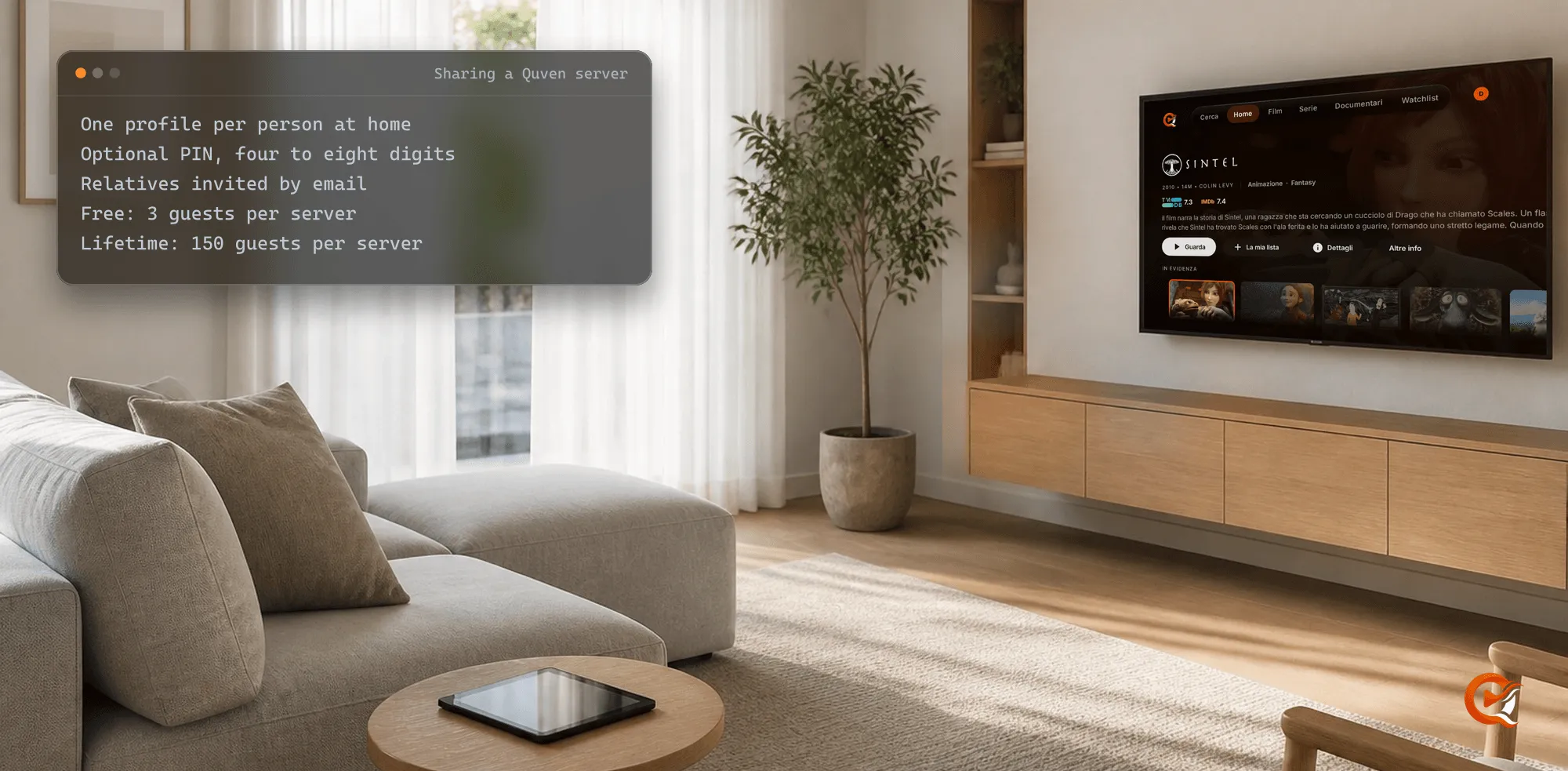
| Several people | A profile each, with its own watched marks | One shared list |
| Away from home | Free over a route you set up | Wherever the drive is |
Quven matches films and series against TMDb and TVDB, with OMDb and AniDB beside them, so a folder of files becomes cards with artwork and episodes in their order. Profiles are unlimited on every plan.
What happens to a film the television can’t play?
Quven asks the screen what it decodes, then sends the least it can:
- Direct File: the device can play the file, so it gets the file exactly as it sits on the disk.
- Direct Play: only the container or the sound is in the way. The server copies the picture untouched and re-encodes the sound to AAC where it must.
- Transcode: the video codec is the problem, and the server converts the picture on its graphics chip. Hardware transcoding is free on every plan.
Which of the three did a film get? Open the player’s menu during playback, choose Show stats and read the Decision row. The Android TV guide explains how the app checks each film against the box’s decoders, and why a server transcodes covers the usual causes. The native apps draw Blu-ray and DVD picture subtitles themselves, on every plan.
How do you turn the drive into a library?
- Download Quven for the computer that will hold the films: Windows, macOS, or Linux as a server.
- Plug the USB drive into that computer and keep a layout the scanner reads:
Media/
  Films/
    Arrival (2016)/
      Arrival (2016).mkv
  TV Shows/
    The Bear (2022)/
      Season 01/
The Bear (2022) - S01E01.mkv- In the desktop app choose Add library, set Library type to Movies, press Add folder…, pick the drive’s
Filmsfolder and finish with Add and start scan. A second library of type TV Shows takes the series. - Install Quven on the television from Google Play or the Amazon Appstore and sign in with the same Quven Account.
Apps for Samsung and LG televisions, Hisense sets and Apple TV are on the way, and until they arrive an Android TV or Fire TV box on the set’s HDMI port runs the app.
What does it cost?
The free plan already holds everything a USB player can’t do: the server, every native app, direct play, hardware transcoding, simultaneous streams and remote access you configure yourself through a forwarded port or a reverse proxy. Pro adds the managed relay, which reaches your server without opening a port, and the web client at app.quven.tv. No plan shows advertising.
Lifetime is every Max capability for one payment, with nothing to renew. Its price rises at each step of the published schedule, although the annual plan already costs less than twelve months, as the plans page shows. If the drive behind your television holds the films you care about, one install and one scan put them on every screen with a Quven app, without copying a single file anywhere else.
Frequently asked questions
Can I keep the films on the USB drive?
Yes. Plug it into the computer that runs Quven and add its folder as a library. If you later copy the films to an internal disk, moving a library keeps everyone’s watch history.
Does the computer have to stay on?
It does while someone’s watching, because every screen plays from it.
Does a conversion change the file on the drive?
No. The server converts the stream for that screen while it plays, and the film on the drive stays exactly as it was.
Community
Comments
0 comments
No comments yet. Start the conversation.