 Quven
Quven'%3e%3cpath%20d='M0%200v40h60V0z'%20fill='%23012169'/%3e%3cpath%20d='M0%200l60%2040m0-40L0%2040'%20stroke='%23fff'%20stroke-width='8'/%3e%3cpath%20d='M0%200l60%2040m0-40L0%2040'%20clip-path='url(%23d)'%20stroke='%23C8102E'%20stroke-width='5'/%3e%3cpath%20d='M30%200v40M0%2020h60'%20stroke='%23fff'%20stroke-width='13'/%3e%3cpath%20d='M30%200v40M0%2020h60'%20stroke='%23C8102E'%20stroke-width='8'/%3e%3c/g%3e%3c/svg%3e)


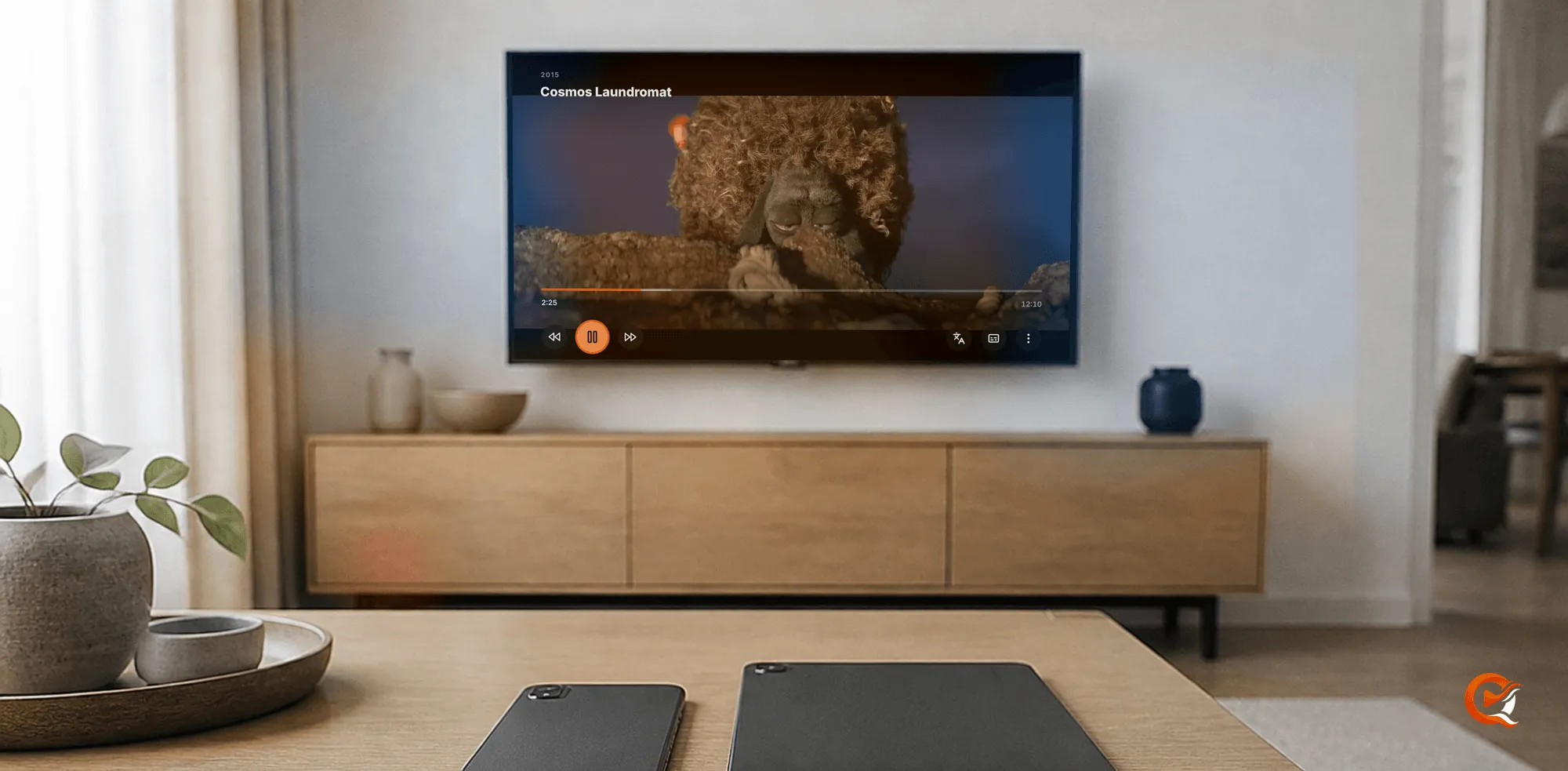
Every major self-hosted media server now publishes apps for Fire TV, Android TV and iPhone, so the choice comes down to what each app asks you to pay before it plays your own film, and what it does with the file once you press Play. Quven is a self-hosted media server by Quven Technologies S.R.L., free for personal use, and its native apps play every film in full on the free plan, at home and away from home over a connection you set up yourself.
Which media servers have apps for all three?
Four of them do, and we read each one’s own pages on 4 October 2026. Quven has a SwiftUI app on the App Store and a Kotlin app on Google Play, one listing covering phones and Android TV alike, with the same television app on the Amazon Appstore for Fire TV. Plex and Emby publish theirs too, and Jellyfin as well, so a list of stores can’t settle the question: what you meet with the remote in your hand is the price of pressing Play and what happens to the picture afterwards.
What does each app charge before it plays your film?
| Quven | Plex | Emby | |
|---|---|---|---|
| iPhone and Android phone app | Full playback on every plan | Free on the home network | One minute, then App Unlock or Premiere |
| Android TV and Fire TV app | Full playback on every plan | Free on the home network | Free on up to five TV devices |
| Your films on a phone away from home | Free over your own route; relay with Pro | A Plex Pass on the owner’s account, or a pass on yours | App Unlock or Premiere |
| Hardware transcoding | Free on every plan | Plex Pass | Emby Premiere |
Plex’s page on remote playback, last modified on 10 April 2026, says watching your own video away from home in its Android and iOS apps has needed a pass since 29 April 2025, and adds that “eventually all apps and platforms will be affected”. On Quven the apps cost nothing on any plan, and no plan shows advertising on any screen.
How do you watch on your phone away from home?
- Make the server reachable: a forwarded port, a reverse proxy or Tailscale, all free on every plan (remote access guide).
- In the iPhone or Android app, choose Connect by address.
- Enter the address you published.
If your provider puts you behind carrier-grade NAT you may not be able to forward a port at all, and that’s what the managed relay in Pro is for. The article on streaming away from home sets Quven’s rule beside Plex’s.
How do you sign in on a television?
You shouldn’t have to type a password with the remote:
- Open the Android TV or Fire TV app, which shows a code and a QR code.
- Approve it on your phone with your Quven Account.
- The television signs in on its own, and a film you stopped on the phone picks up at the same minute.
What does a native app do once you press Play?
It asks for the original file first, and when the device can decode it, the server can send the file exactly as it sits on the disk. On Android TV and Fire TV the app reads the box’s decoders before it asks (Android TV guide):
- libmpv draws PGS and VobSub picture subtitles itself, so a Blu-ray remux keeps playing as stored (why).
- When a transcode can’t be avoided, the server uses your graphics hardware and tone-maps HDR for a screen that can’t show it, on the free plan too (card by card).
Would you like to know which route a film took? The player’s stats panel names the decision for every title.
What plays on the phone and television apps?
Films and series, and documentaries as well, from every library on your server, with history and playlists importable from Plex or Jellyfin (leaving Plex). Music lives in the desktop app, on Android, iPhone and iPad, and in the web client at app.quven.tv, which comes with Pro. Ebooks live in the desktop app and the web client. Apps for Apple TV and for Samsung and LG sets are on the way, though the three you came looking for are available today.
Why choose now?
Download Quven, install the apps from the App Store, Google Play or the Amazon Appstore and watch your library in full on the free plan. The plans page sets out what Pro and Max add.
Frequently asked questions
Are the Quven apps for Fire TV, Android TV and iPhone free?
Yes. You can download them free, and they’ll play every film in full on the free plan.
Do I need a paid plan to watch on my phone away from home?
No. Forward a port, use a reverse proxy or set up Tailscale, and the app connects by address on the free plan.
Is the Fire TV app the same as the Android TV app?
Yes. It’s the same television app, published on the Amazon Appstore and on Google Play.
Will a Blu-ray subtitle make the server transcode on my phone or TV?
No. The Quven apps draw picture subtitles themselves, so the film keeps playing as it’s stored.
Where do I play my music and ebooks?
In the desktop app and in the web client at app.quven.tv, which comes with Pro.
Community
Comments
0 comments
No comments yet. Start the conversation.