 Quven
Quven'%3e%3cpath%20d='M0%200v40h60V0z'%20fill='%23012169'/%3e%3cpath%20d='M0%200l60%2040m0-40L0%2040'%20stroke='%23fff'%20stroke-width='8'/%3e%3cpath%20d='M0%200l60%2040m0-40L0%2040'%20clip-path='url(%23d)'%20stroke='%23C8102E'%20stroke-width='5'/%3e%3cpath%20d='M30%200v40M0%2020h60'%20stroke='%23fff'%20stroke-width='13'/%3e%3cpath%20d='M30%200v40M0%2020h60'%20stroke='%23C8102E'%20stroke-width='8'/%3e%3c/g%3e%3c/svg%3e)


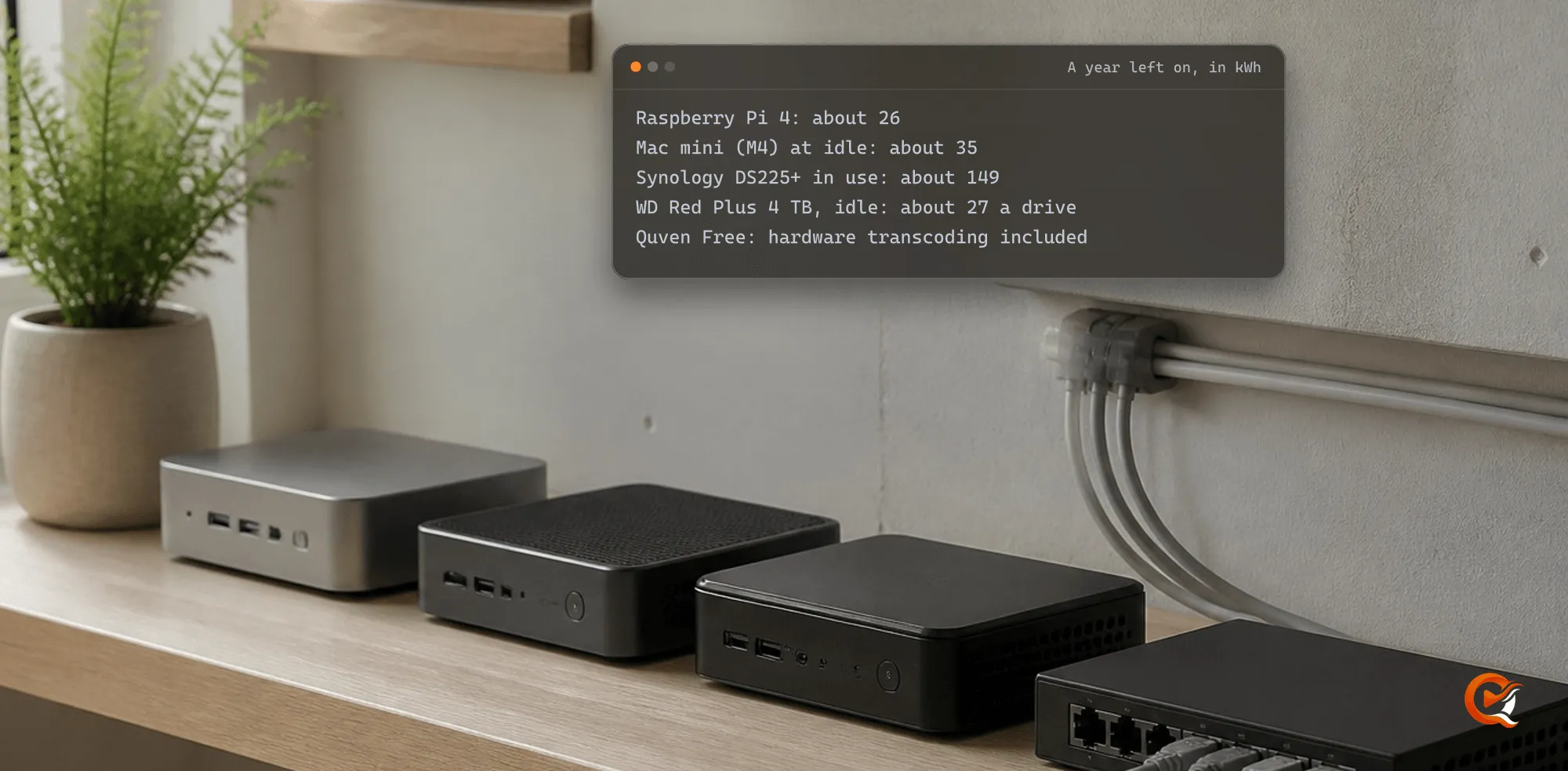
A year of running a media server at home costs the electricity of one small box and its drives, about 26 to 150 kWh for the box on its maker’s own figures, and nothing for the software if that server is Quven. Quven is a self-hosted media server by Quven Technologies S.R.L., free for personal use, and its free plan already includes two things Plex charges for: hardware transcoding and watching your own videos away from home.
How much electricity does a home media server use?
Why does the idle figure matter most? A home server spends most of its hours waiting for someone to press play, so that’s the number that sets the bill. Here’s what each maker publishes, read on 14 October 2026 and multiplied by the 8,760 hours of a year:
| Box | What the maker publishes | kWh a year, left on |
|---|---|---|
| Raspberry Pi 4 | 600 mA at 5 V, about 3 W on a typical active board | 26 |
| Mac mini (2024, M4) | 4 W idle, 65 W at most | 35 at idle |
| Synology DS225+ | 16.98 W in use, 6.08 W with its drives hibernating | 149 in use, 53 hibernating |
| WD Red Plus 4 TB, per drive | 3.1 W idle, 4.7 W reading or writing | 27 to 41 |
| WD Red Plus 12 TB, per drive | 6.1 W idle, 8.8 W reading or writing | 53 to 77 |
Raspberry Pi and Apple publish the first two figures in their documentation. Synology’s DS225+ specifications and Western Digital’s brief of March 2025 give the rest, and a Pi or a Mac mini will still need drives, so add their row.
How do you work out your own figure?
- Read the box’s draw from its maker, or measure it at the socket: a plug-in meter can tell you in a day.
- Multiply the watts by 8.76 to get the kilowatt-hours of a year.
- Multiply that by the price per kWh on your electricity bill, then do the same for each drive.
What does the software cost?
It’s the line where servers differ most, and we read each company’s own pages on 14 October 2026:
- Plex calls hardware-accelerated streaming “a premium feature” that “requires an active Plex Pass subscription” (support page last modified 11 September 2025), except on the NVIDIA SHIELD and two Western Digital NAS models.
- Plex’s page on remote playback of personal media, last modified 10 April 2026, asks for a Plex Pass on the server admin’s account, or a Plex Pass or Remote Watch Pass on the viewer’s.
- Emby’s Premiere page lists hardware accelerated transcoding among the features Premiere adds.
- Quven keeps nine capabilities free whatever else changes, hardware transcoding and the remote access you run yourself among them, and the plans page lists all nine.
How do you keep the bill at the low end?
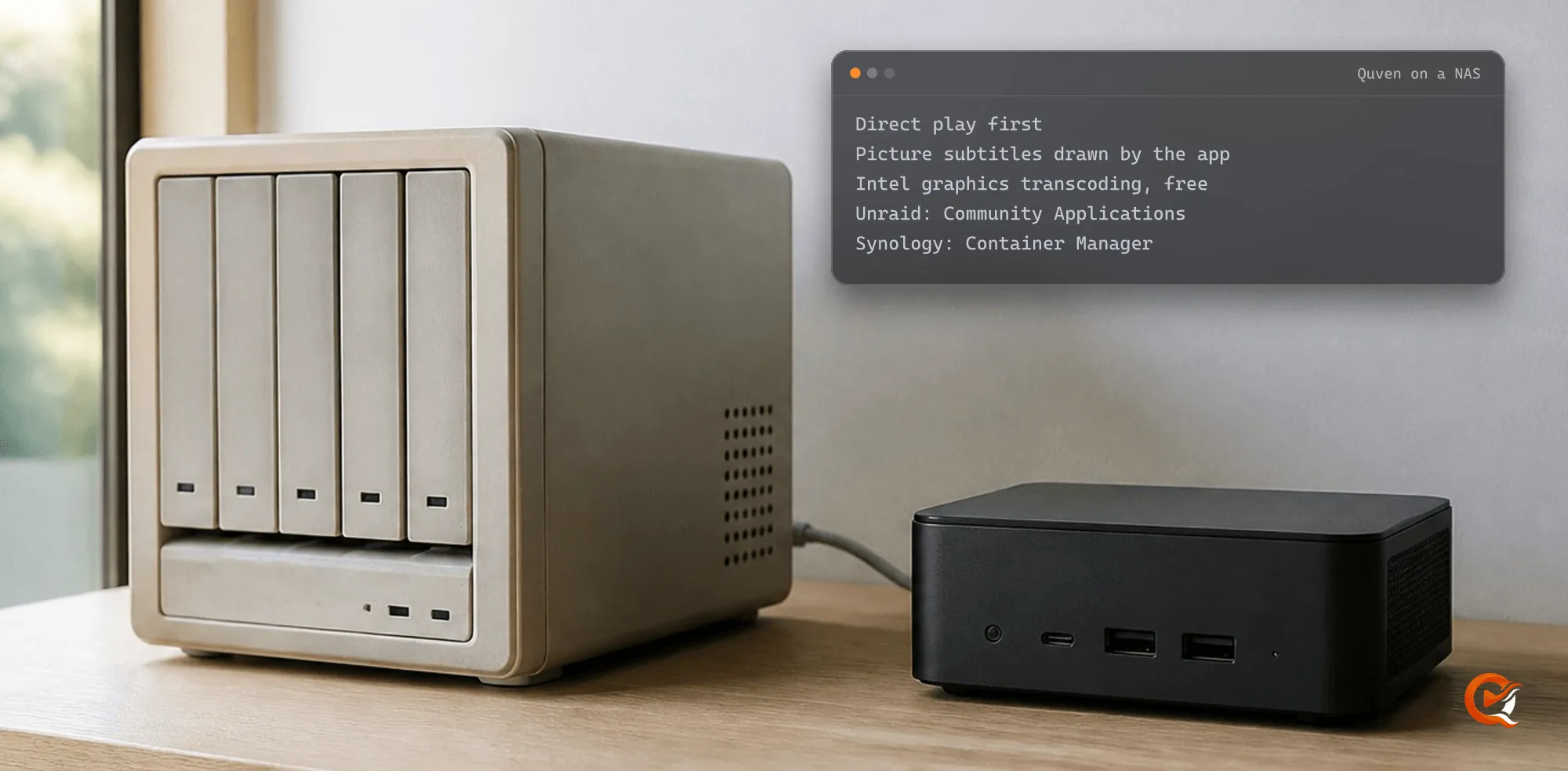
- Put Quven on a box that’s on anyway. A NAS you already own can run it in Docker (Synology and Unraid), and a Raspberry Pi copes well with a library that plays untouched.
- Let the files play as they are. Quven’s native apps ask for the original first, so the server mostly hands over bytes and a transcode should be the exception (why one happens).
- When one can’t be avoided, let the graphics do it. In the desktop app that’s Settings, Quality, Server transcoding, left on Auto, which takes the first hardware encoder that passed its test. In Docker on an Intel or AMD box, the Docker guide adds the render node with these commands:
curl -fsSLO https://quven.tv/docker/1.5.5/compose.vaapi.yaml
echo 'QUVEN_RENDER_GID='"$(getent group render | cut -d: -f3)" >> .env
echo 'QUVEN_VIDEO_GID='"$(getent group video | cut -d: -f3)" >> .env
docker compose -f compose.yaml -f compose.vaapi.yaml config
docker compose -f compose.yaml -f compose.vaapi.yaml up -d
What do the paid plans add?
Nothing you need to play your own files. Pro adds the managed relay for a network that can’t open a port, along with the web client at app.quven.tv.
- With Pro you could share the server with 25 people instead of 3.
- The iPhone and iPad app is free on every plan, and so is the Android one, which also runs on Android TV and Fire TV.
- Samsung, LG and Apple TV apps are still to come, although the screens above already play your films and series.
Why buy now rather than later?
If you’d rather pay once, Lifetime is every Max capability for a single payment, and its price rises at each step of the published schedule, so today’s step won’t come back, while the annual plan, for anyone who’d rather renew, costs less than twelve months paid one at a time. You can download Quven first and run it on the free plan for as long as you like.
Frequently asked questions
Does hardware transcoding make the power bill higher?
A little, while it runs, since any transcode works the box harder than sending the file as it is. That’s why Quven’s apps ask for the original first.
Can I run Quven on the NAS I already have?
Yes. It runs in Docker on Synology and Unraid, and a NAS with Intel graphics can transcode on the free plan.
Do my family’s apps cost anything?
No. The apps on phones and televisions are free, and the people you share the server with need no plan of their own.

Community
Comments
0 comments
No comments yet. Start the conversation.