
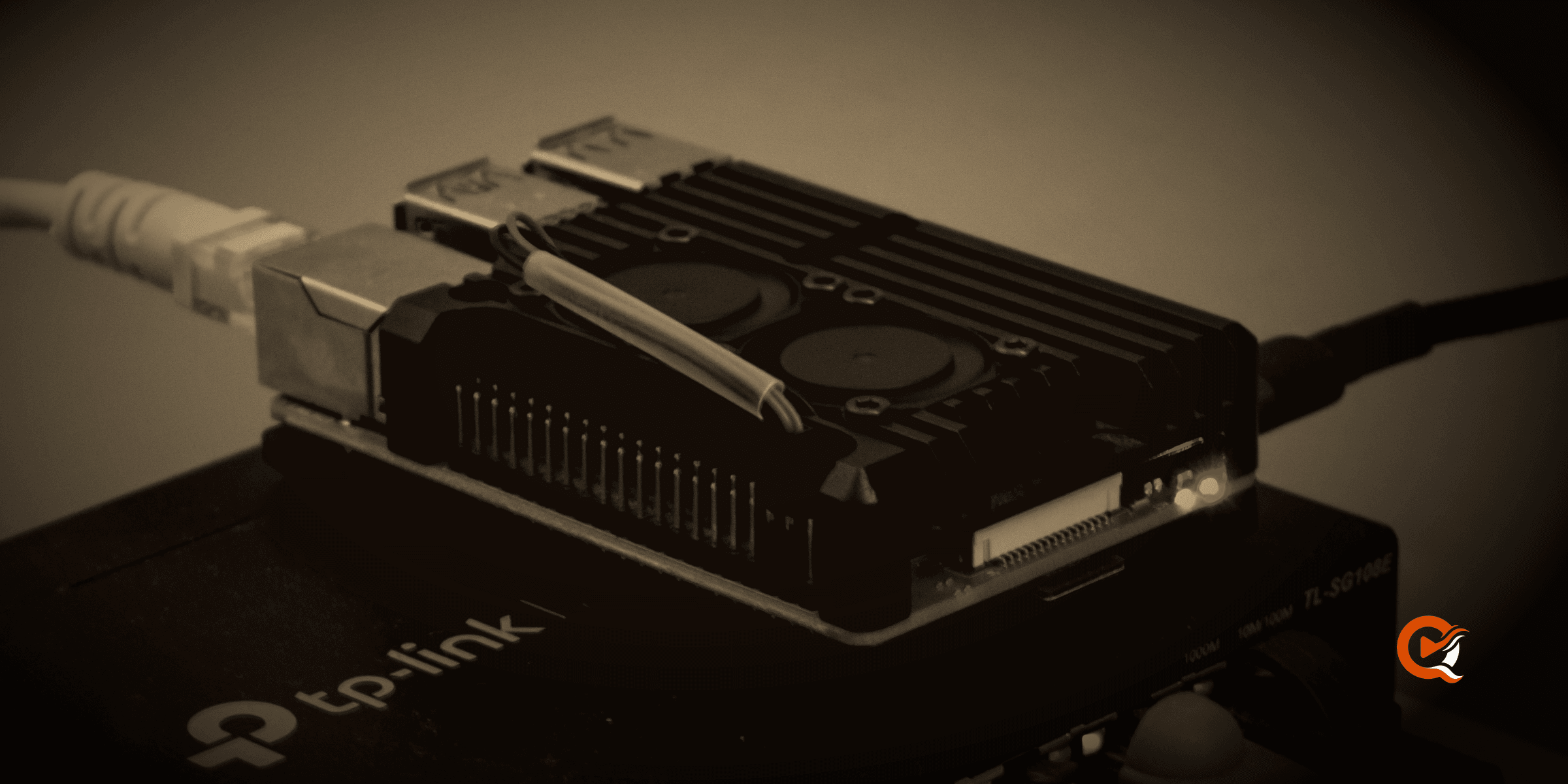
A Raspberry Pi 4 has spent months on a shelf here, serving a real library off a USB disk. The verdict it gives is split, and the split won’t fall where the buying guides put it. It falls on one question: how much of what you own has to be re-encoded before it reaches a screen?
The board these numbers come from
A Pi 4 Model B with 4 GB of memory, running 64-bit Armbian on Debian 13, booted from a USB SSD with an empty card slot, and the library on an external USB drive formatted NTFS, which held 2,276 film files, 1,583 episode files and 44 documentaries when the measurements were taken.
Codec interfaces don’t match between vendors, and sometimes between two kernels from the same vendor, so read what follows as a report from one board. A NAS, a Rockchip box or an Odroid deserves its own measurement before you’d rely on it.
The silicon has one encoder, and it’s H.264
The BCM2711 in a Pi 4 carries hardware H.264 encode and decode, reached through the V4L2 M2M interface, and you will find no VAAPI on this chip, whatever a comparison table implies by putting a tick under “hardware transcoding”. HEVC is decode only, and the decoder isn’t the hevc_v4l2m2m device people go looking for. It’s a stateless decoder driven through the V4L2 Request API, on its own node, with a media controller in front of it.
That distinction costs real throughput. Here are several routes through the same 30-second workload on that board.
| Source | Route | Measured pace |
|---|---|---|
| H.264 1080p | V4L2 decode, V4L2 encode | about 2x real time |
| HEVC Main 1080p | software decode, V4L2 encode | 1.14x |
| HEVC Main 1080p | Request decode, V4L2 encode | 1.78x |
| HEVC Main10 | Request decode, detile, V4L2 encode | 1.59x |
| HEVC plus three audio renditions | software decode, V4L2 encode | 0.91x |
| 4K Dolby Vision | software throughout | 0.05x |
Anything above 1.0 means a second of film takes less than a second to produce, so nobody will wait. The H.264 row is the comfortable one: about 403 MiB of memory, the board at 65.2 °C, which is warm and a long way from trouble. Wiring the Request decoder in front of the same encoder took HEVC from 1.14x to 1.78x, and that gap is the whole argument for bothering with the stateless path.
The last row deserves attention. Two seconds of picture for every forty seconds of clock, with the processor pinned at 290 percent of one core on a chip that has four. No amount of tuning can rescue that.
What the server does when the board can’t keep up
A session that keeps falling behind is worse than one that stops, because the viewer sits through a minute of buffering before reaching the same conclusion. So the server watches its own pace. An encode window has 45 seconds of grace, which covers startup, a relocation and a paused client, and after that it has to hold 0.6 of real time. Underneath it, the session ends with playback.transcode.too_slow and the client says so in a sentence. Through a browser the 4K Dolby Vision title managed one segment in 56.5 seconds, then answered 422 and got out of the way.
The cost that never makes it into a comparison
Reading a file is work too, and on a Pi it’s more work than you’d guess: building the keyframe map of a 3.3 GB HEVC film on that USB-NTFS disk took 120 seconds and found 1,375 keyframes. The request that wants the map is allowed eight, so it must give up, and the session falls back to transcoding something the client could have played untouched. Once the map exists, built quietly in the background, the next session of that film will be a straight copy that relocates properly when you seek.
A small board rewards that pattern everywhere. It’s patient and it’s slow, so the software that suits it does its heavy reading in the background and hands the answer to whoever asks next.
Subtitles out of speech, on the same hardware
Thirty seconds of English dialogue took about 114 seconds to transcribe, peaked at 755.5 MiB with no swap, and came back with 14 cues at 12.96 percent word error against the reference subtitle. The words are usable, and on a board this small the timing is looser: cue starts measured 353 ms median and 2,080 ms at the 95th percentile, so the occasional line appears late, which is why generating subtitles should be a job for whichever machine in the house has capacity to spare.
So, is it enough?
It’s enough when most of what you own already plays untouched, and that’s the case people miss when they shop for transcoding horsepower: a native client on a television or a phone takes an MKV with HEVC video and a lossless track and plays it as it sits, and the server spends its evening handing over bytes. A Pi 4 can do that all day on a gigabit link, and it costs a few watts to leave running. The five things that trigger a re-encode are worth reading before you buy any hardware at all, because four of them are choices you can make differently.
It will stop being enough at 4K, at Dolby Vision, and at the third simultaneous stream that needs converting. It also stops being enough sooner than you’d think if you buy the newer board: although the Pi 5 is a much faster computer, its BCM2712 dropped the hardware H.264 encoder entirely, so every transcode on it must land on the processor. For this particular job the older model is the better buy.
Frequently asked questions
Which Raspberry Pi should I buy for a media server?
A Pi 4 for this job, and 4 GB is enough. The Pi 5 is faster at almost everything else and has no hardware H.264 encoder, so anything it re-encodes falls to the processor. If you already know you’ll transcode regularly, a small x86 machine with Quick Sync will hold several streams and save you the trouble.
Do I need an SD card, or something faster?
Boot from USB if you can, as the bench did, running from a USB SSD with the card slot empty and the library on a second USB disk. Cards will wear out under a database that’s written to all evening, and the difference shows up in scan times long before it shows up as a failure.
Will a Raspberry Pi transcode 4K?
Not in any useful sense. 4K Dolby Vision measured 0.05x on a Pi 4, and the server stops a session that slow instead of leaving it to stall. Keep 4K for the clients that can play it directly, and keep a 1080p copy beside it for the ones that can’t.
Can it run in Docker?
Yes, and that’s how most of these numbers were measured. The published image is multi-architecture, so the tag you pull on a Pi is the tag you pull on an x64 host. Hardware acceleration needs a profile naming the real device nodes on your board, and those profiles refuse to start when the nodes aren’t there, which beats discovering the problem halfway through a film.

Community
Comments
0 comments
No comments yet. Start the conversation.