Quven
Quven'%3e%3cpath%20d='M0%200v40h60V0z'%20fill='%23012169'/%3e%3cpath%20d='M0%200l60%2040m0-40L0%2040'%20stroke='%23fff'%20stroke-width='8'/%3e%3cpath%20d='M0%200l60%2040m0-40L0%2040'%20clip-path='url(%23d)'%20stroke='%23C8102E'%20stroke-width='5'/%3e%3cpath%20d='M30%200v40M0%2020h60'%20stroke='%23fff'%20stroke-width='13'/%3e%3cpath%20d='M30%200v40M0%2020h60'%20stroke='%23C8102E'%20stroke-width='8'/%3e%3c/g%3e%3c/svg%3e)


A Mac can be the server, the local player or both. Quven publishes signed and notarized packages for Intel and Apple silicon.
Choose the package
- Bundle (Server + App): the Mac is also a screen you watch on. The server and the native desktop app share one lifecycle.
- Server only: a Mac mini, a shared machine or any always-on host that native clients elsewhere in the house reach. It leaves out the desktop app.
Install
-
Download the package for your architecture, Intel x64 or Apple silicon ARM64, from the download page.
-
Open the
.pkg. Every public package is Developer ID signed, notarized and stapled on both architectures, so Gatekeeper accepts it. -
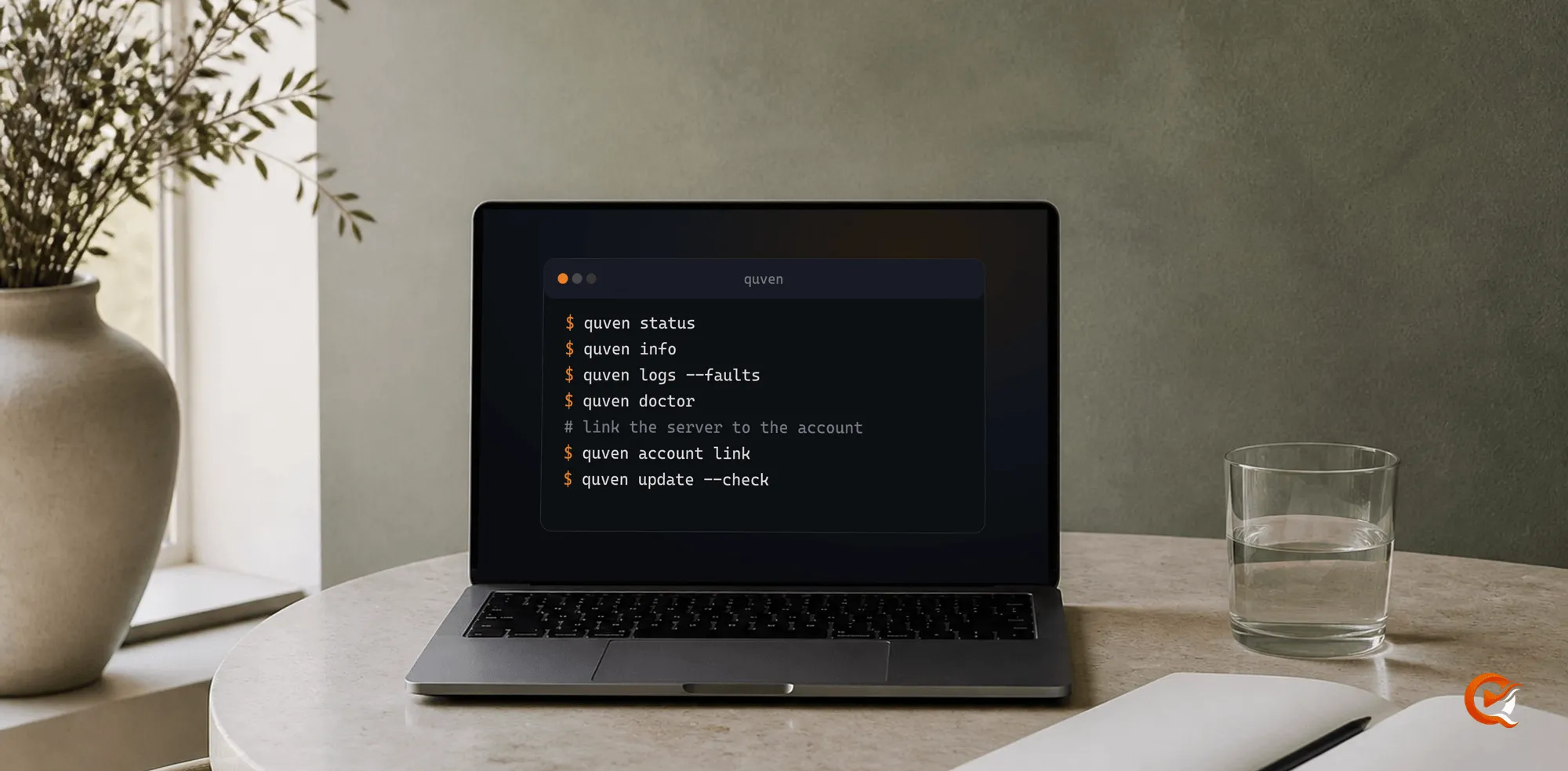
Link the server to your Quven Account. With the Bundle, open a new terminal and run:
quven account linkOpen the address it prints, sign in and approve the server. Server only has no desktop app, so you call the server file with the same arguments, as the command line guide shows.
Nothing else needs installing. The media tools come with the server.
Check it
quven status
quven doctor
quven logs --faults
status says whether the server runs and is linked, doctor checks the data folder, the disk space and the log, and logs --faults explains a start that failed.
Before you rely on the Mac as the permanent host:
- Restart it and confirm the library volumes remount with the same paths.
- Confirm the service identity can read them.
- Check that the sleep settings won’t cut off a remote client halfway through a film.
- Play a few representative files after the first install, and again after the first update.
Playback
Compatible files take the native full-fidelity path. Where the codec and the hardware allow it, the server can use VideoToolbox, and a CPU path covers the rest.
Frequently asked questions
Will Gatekeeper stop the installer?
No. Every public macOS package is Developer ID signed and notarized, with the ticket stapled, on both architectures.
Intel or Apple silicon?
Both. Quven publishes a separate package for each architecture, and each one runs natively on its own processor.
Is a Mac mini a good permanent host?
Yes, when low idle power and a quiet always-on machine matter, once the checks above pass.