Quven
Quven'%3e%3cpath%20d='M0%200v40h60V0z'%20fill='%23012169'/%3e%3cpath%20d='M0%200l60%2040m0-40L0%2040'%20stroke='%23fff'%20stroke-width='8'/%3e%3cpath%20d='M0%200l60%2040m0-40L0%2040'%20clip-path='url(%23d)'%20stroke='%23C8102E'%20stroke-width='5'/%3e%3cpath%20d='M30%200v40M0%2020h60'%20stroke='%23fff'%20stroke-width='13'/%3e%3cpath%20d='M30%200v40M0%2020h60'%20stroke='%23C8102E'%20stroke-width='8'/%3e%3c/g%3e%3c/svg%3e)


Quven has a small read-only API for home dashboards. You issue a key from the server’s settings, send it as a header and read what the server holds and what it is playing. The key can’t change anything: that’s how the routes are built, not a policy.
1. Issue a key
- Open Settings, go to Server and find the integration keys card.
- Give the key a name you’ll still understand in six months, such as “Homepage”.
- Copy the secret from the panel that opens. It appears once, because the server keeps only a hash of it. The list afterwards shows the last few characters.
If you lose a key, revoke it and issue another. Revocation is immediate and can’t be undone.
2. Send it with each request
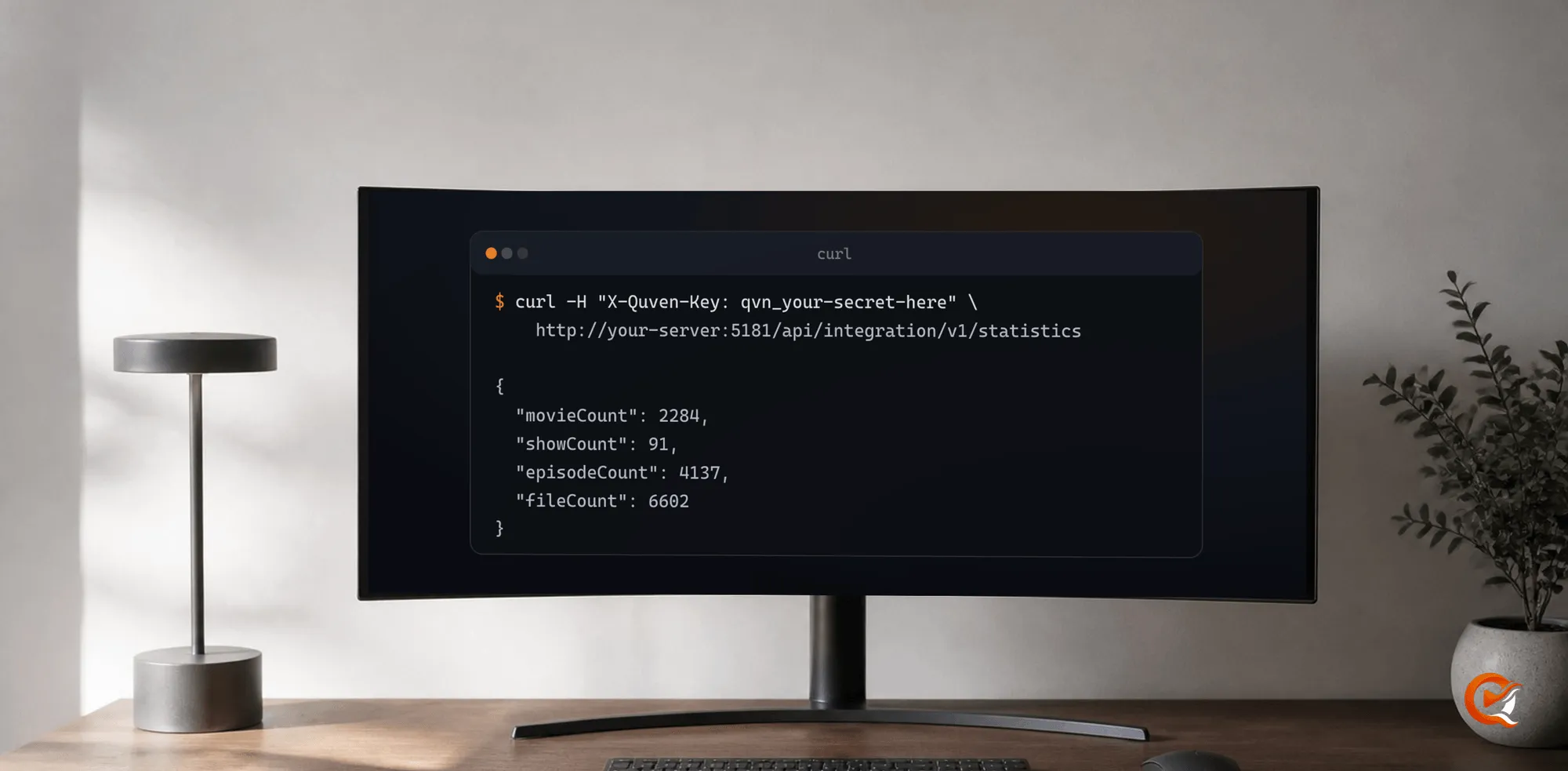
curl -H "X-Quven-Key: qvn_your-secret-here" \
  http://your-server:5181/api/integration/v1/statistics

curl -H "Authorization: Bearer qvn_your-secret-here" \
  http://your-server:5181/api/integration/v1/statistics
Most dashboards only offer an Authorization field, which is why the bearer form works too. If you send both, the dedicated header wins.
3. Pick the route
All six are GET, under /api/integration/v1.
| Route | Answer |
|---|---|
/server |
The installation: name, version, process start and the API version it speaks |
/statistics |
Films, series, episodes, files and bytes on disk |
/libraries |
Each library with a file count and the time of its last scan |
/sessions |
What is playing: title, position, runtime and whether it transcodes |
/metrics |
The same counts in Prometheus text |
/history |
What was played, most recent first, paged with limit and offset |
/statistics is the tile most people want:
{
  "movieCount": 2284,
  "showCount": 91,
  "episodeCount": 4137,
  "fileCount": 6602,
  "totalStorageBytes": 41203847561216
}/librariescounts files, so a library that holds none appears with the first scan that finds something./sessionstells you how often to ask inrefreshAfterSeconds. Respect it: a dashboard that polls every second loads the server for nothing and can slow playback for everyone else./historysays what played and when, never who asked for it.
The field-by-field reference is at quven.tv/api/integration/v1, with the OpenAPI document beside it for generated clients. Both are built from the server’s own routes.
4. Scrape it with Prometheus
/metrics lets Grafana read the server without an exporter:
scrape_configs:
  - job_name: quven
    metrics_path: /api/integration/v1/metrics
    authorization:
      type: Bearer
      credentials: qvn_your-secret-here
    static_configs:
      - targets: ["your-server:5181"]
5. Poll cheaply with ETag
Every read carries an ETag. Send it back as If-None-Match and a server that hasn’t changed answers 304 with no body, which over a relay is the difference between a poll costing a round trip and costing a library listing. The exception is /sessions: its answer carries the instant it was taken, so it differs every time.
6. Try it in the browser
The reference page runs these reads against your own server: put the address and a key in the bar at the top and press Send. The request goes from your browser to your server and nowhere else. Three things stop it, and the page says which it can:
- A server on plain http, reached from that page, unless it’s on this machine.
- An address your browser can’t reach.
- A server older than the console, which doesn’t admit that page yet.
The curl button covers all three.
Check that the server is up
GET /health/live answers 200 with the word Healthy and needs no key, so a monitor can poll it without holding a secret. /health/ready requires authentication and isn’t meant for that. Uptime itself is startedUtc on /server and quven_server_start_time_seconds in the metrics.
What it never returns
- Folder paths.
/librariesis built from the catalogue statistics and never reads the library configuration, so a path like/mnt/tank/media/filmscan’t leak. - Viewer identity.
/sessionsshows that something plays and what it is, never who watches it.
Limits and versioning
- A key is allowed 120 requests a minute. The count is per key, so a misconfigured integration burns its own budget and leaves the others alone.
- A server holds 25 live keys. If you reach that, you’ve almost certainly forgotten to revoke something.
- The routes live under
/api/integration/v1, apart from the ones the Quven apps use, and this path stays stable across client releases. - A server older than the API answers 404 on all of it. Ask
/serverfirst and read itsapiVersion.
If a key leaks
Whoever holds it can read your catalogue and see what’s playing. They can’t start a scan, change a library, touch a file or issue another key, because key management sits behind an owner login. Revoking the original ends it.
That boundary is why the API exists in this shape: handing a dashboard your account token would have been simpler to build and far less safe.