 Quven
Quven'%3e%3cpath%20d='M0%200v40h60V0z'%20fill='%23012169'/%3e%3cpath%20d='M0%200l60%2040m0-40L0%2040'%20stroke='%23fff'%20stroke-width='8'/%3e%3cpath%20d='M0%200l60%2040m0-40L0%2040'%20clip-path='url(%23d)'%20stroke='%23C8102E'%20stroke-width='5'/%3e%3cpath%20d='M30%200v40M0%2020h60'%20stroke='%23fff'%20stroke-width='13'/%3e%3cpath%20d='M30%200v40M0%2020h60'%20stroke='%23C8102E'%20stroke-width='8'/%3e%3c/g%3e%3c/svg%3e)


You can, and nothing has to be converted first. Quven is a self-hosted media server by Quven Technologies S.R.L., free for personal use, and its apps receive a lossless recording, hi-res included, exactly as it sits on your disk, whether you’re on the sofa or on a train. The server converts a recording only for a browser that can’t decode it, never because you’ve left the house.
Why does a lossless file get converted away from home?
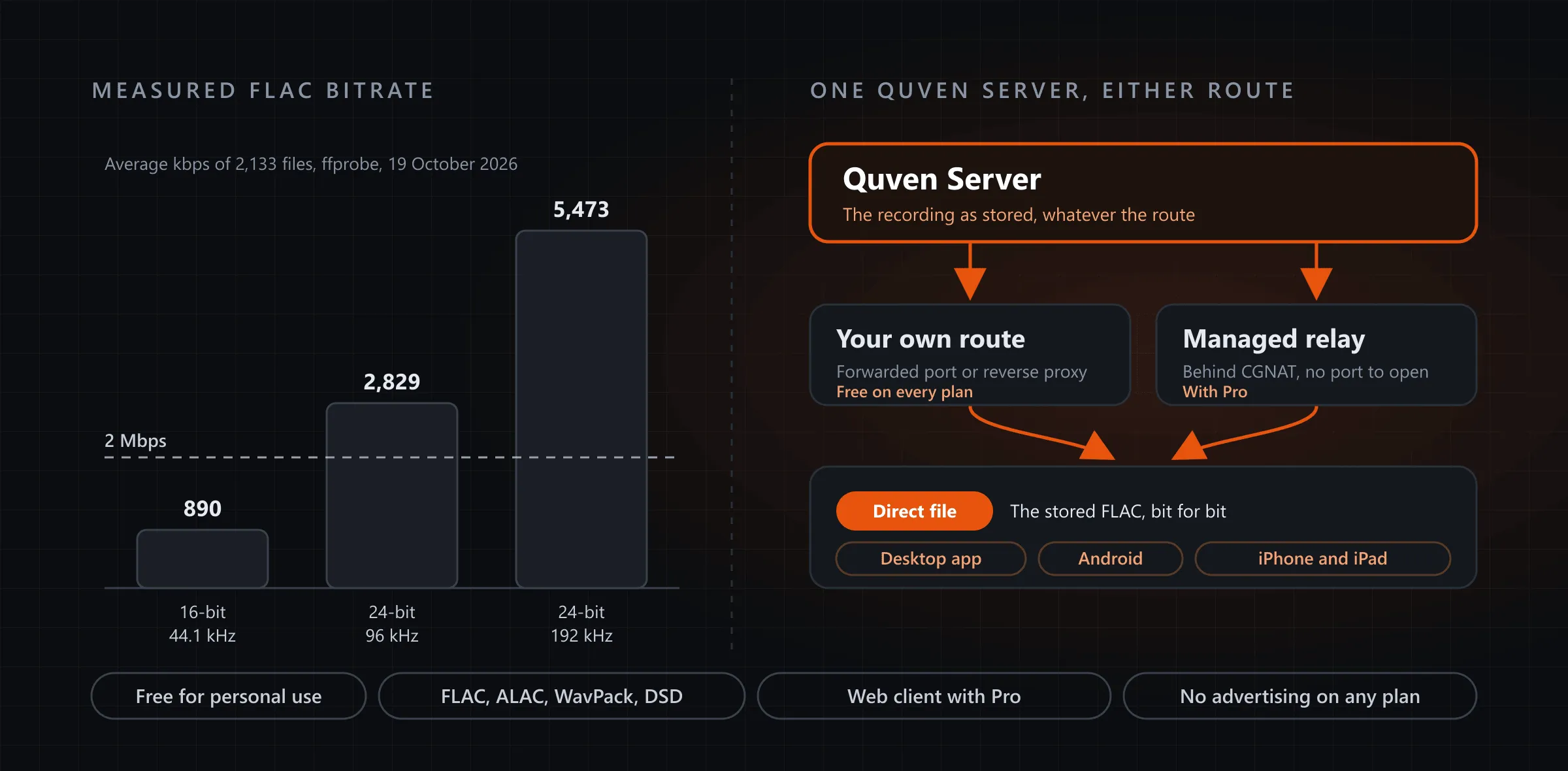
Two things usually force it: an app that can’t decode the format, and a link that can’t carry the bitrate. The second one bites harder than most people expect. We measured 2,133 FLAC files from a real home library with ffprobe on 19 October 2026:
| Format | Files | Average bitrate | Highest | One hour of listening |
|---|---|---|---|---|
| 16-bit, 44.1 kHz (CD) | 1,808 | 890 kbps | 1,145 kbps | about 400 MB |
| 24-bit, 96 kHz | 29 | 2,829 kbps | 2,997 kbps | about 1.3 GB |
| 24-bit, 192 kHz | 109 | 5,473 kbps | 6,170 kbps | about 2.5 GB |
Plex’s support page on its Relay, last modified on 14 July 2025 and read on 19 October 2026, says a relayed connection is limited to 2 Mbps per stream, for Plex Pass and Remote Watch Pass subscribers alike, and that the server transcodes anything with a higher bitrate to fit. Every 96 and 192 kHz file in that table sits above the line, so a hi-res album sent that way would never arrive as it was ripped. Emby’s Premiere feature matrix, read the same day, gives its iOS and Android apps one minute of playback for free, with full playback behind App Unlock or Premiere.
What does Quven send to each app?
Quven decides a recording from what the app can decode, and the route it travels by doesn’t come into it.
- Desktop app on Windows and macOS: the stored file, whatever the codec.
- Android and iOS apps: the stored file first. If the phone’s own player refuses it, the app asks the server once for a converted stream and carries on from the same second.
- Web client at app.quven.tv: a browser that decodes FLAC gets the common formats as stored (FLAC, MP3, AAC, Opus, Vorbis), while the rest, such as ALAC or DSD, is converted to AAC as it plays.
So a 24-bit, 192 kHz album can reach a phone on mobile data byte for byte, provided your home upload can push about 5.5 Mbps. The album page marks an album whose every file is lossless with a Lossless badge.
How do you reach the server from outside?
There are two routes, and both hand the apps the same file.
- Your own route, free on every plan. Publish the server with a forwarded port or a reverse proxy, choose Connect by address on the app’s connect screen and type the address you published:
https://quven.example.com- The managed relay, with Pro. Link the server to a Quven Account on Pro or a higher plan, open Settings, then the Account tab, then the Quven Account section, and switch on Remote access. On the server’s own terminal it takes two commands:
quven remote-access on
quven remote-access status
The relay reaches a server behind carrier-grade NAT with no port to open, and it sets no bitrate ceiling on a stream, so your home upload sets the pace. Which route should you pick? If you already run a reverse proxy, the first costs nothing; if your provider won’t give you a public address, the second is the one that will work. The remote access guide shows how to test either from a connection outside your network.
What else comes with the music?
- The library reads every common lossless format, from FLAC and ALAC to WavPack and DSD, beside MP3 or Opus, and nothing needs converting first.
- Albums are identified against MusicBrainz, and an identified artist’s page carries a biography from Wikipedia, credited to its article.
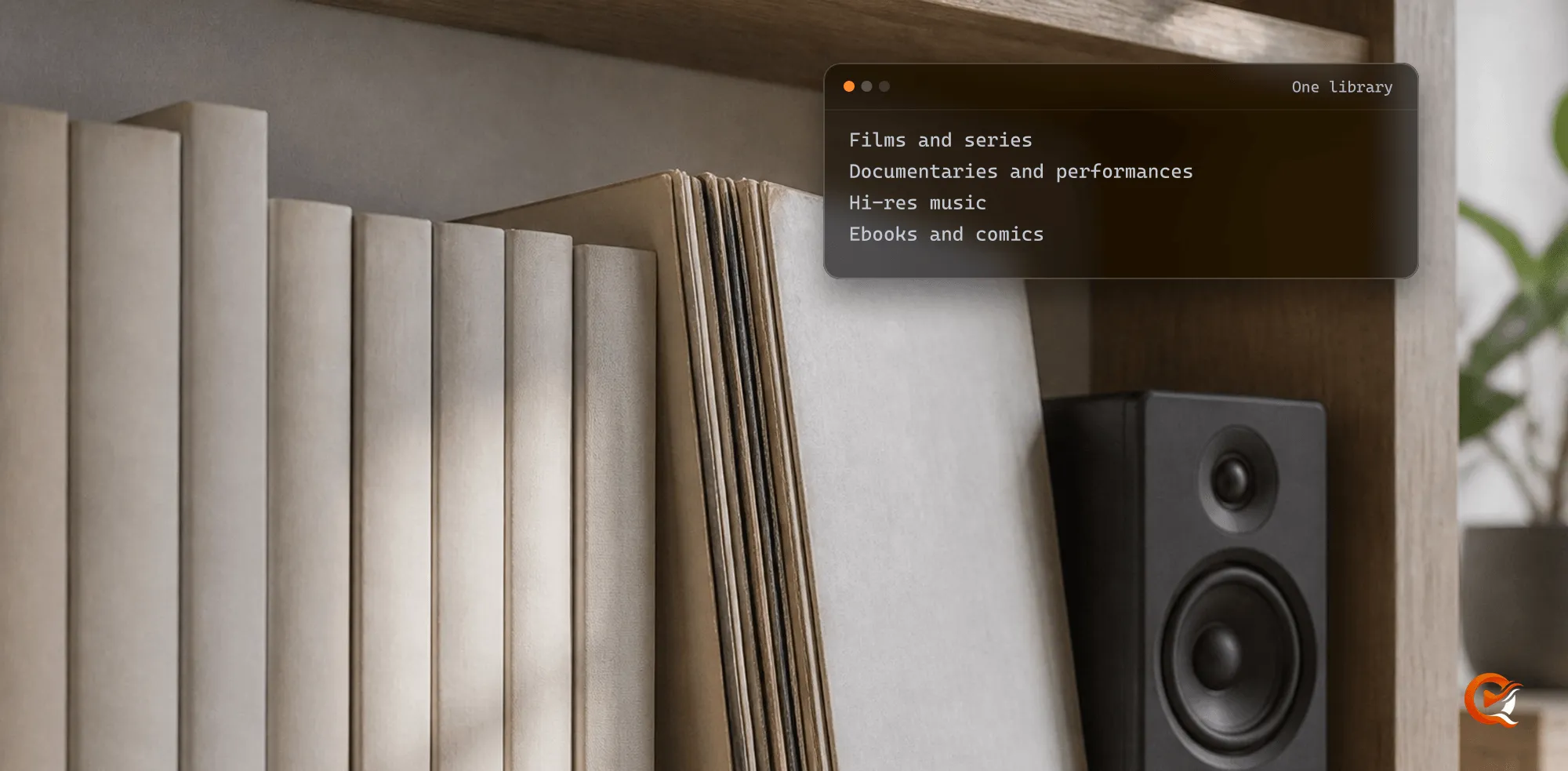
- The music sits beside your films and ebooks on one server, under one search box.
- Films and series also play on Android TV and Fire TV, and apps for Samsung and LG televisions and for Apple TV are on the way.
What does it cost?
The free plan already covers the first route in full. It includes the server and every native app, sends the stored file as it is and transcodes films on your graphics chip, and it leaves remote access to a route you configure yourself. Pro adds the managed relay and the web client at app.quven.tv, and no plan shows advertising.
Lifetime is every Max capability for one payment, the relay and the web client included, and its price rises at each step of the published schedule, although the annual plan already costs less than twelve months, as the plans page shows. Download Quven, point a Music library at your FLAC folders, and the next album you play on a train might well be the very file you ripped.
Frequently asked questions
Can the people I share the server with listen too?
Yes. Sharing works on every plan, and each guest signs in as themselves, with a queue and a Listenlist of their own.
Does Quven change my music files?
No. A conversion happens in the stream, for one browser, while it plays. The recording on your disk stays exactly as it was.
Community
Comments
0 comments
No comments yet. Start the conversation.